









1. Laden Sie eine Teileliste hoch, um hochkompatible Einzelsteine in großen Mengen zu bestellen.
2. Bei Fragen kontaktieren Sie uns unter: mygobricks@gmail.com
⚠️3. HINWEIS: SYSTEMBEDINGTE EINSCHRÄNKUNG Die Anzahl der Teile pro Upload-Bestellung darf 100 nicht überschreiten.
Datei vom Computer hochladen
- Studio(.csv,.ldr,.xml,.lxfml)
- Rebrickable(.csv)
- BrickLink(.xml)
- Gobricks(.xlsx)
Anleitung
Unterstützte Dateivorlagen
Rebrickable(.csv)
Studio(.csv,.ldr,.xml,.lxfml)
BrickLink(.xml)
Gobricks(.xlsx)
Rebrickable(.csv)
CSV-Dateikopf
| Field | Comment | Required |
| Part | Ldraw ID | YES |
| Color | Ldraw Color ID | YES |
| Quantity | Quantity | YES |
| Is Spare | Is Spare | YES |
Beispieldatei: rebrickable_export_csv_sample.csv
Wie man CSV-Daten aus Rebrickable exportiert
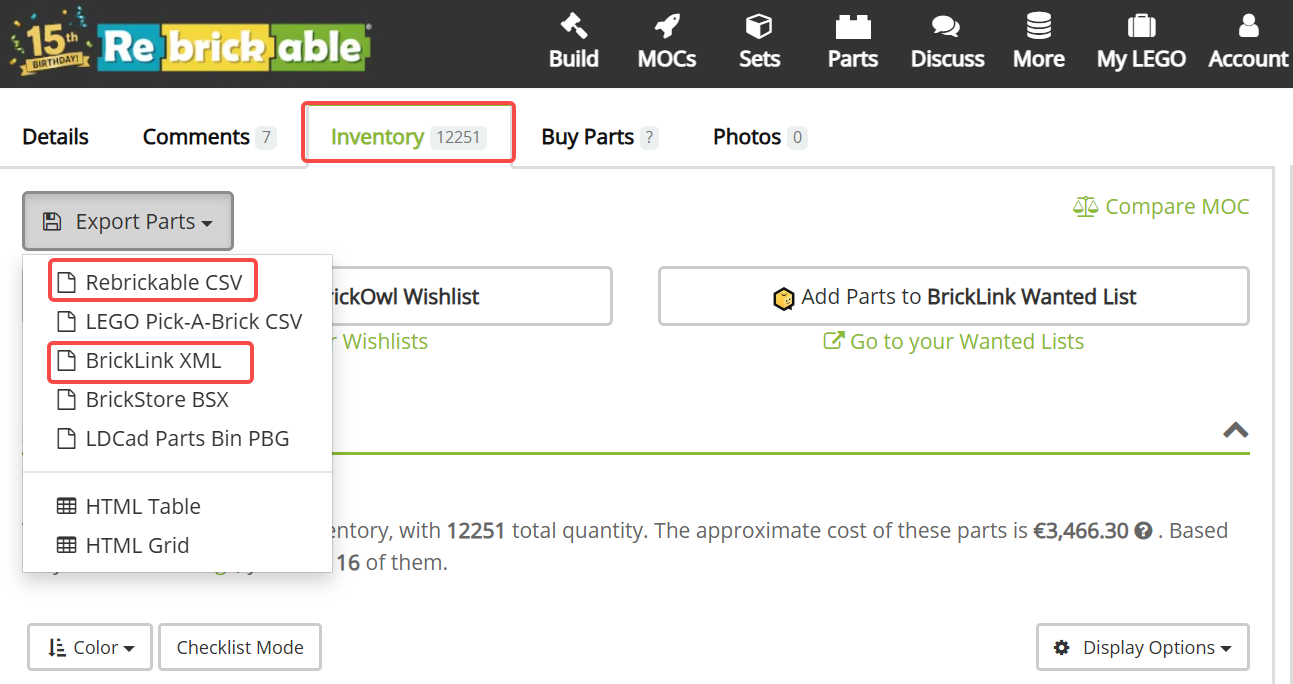
Studio(.csv,.ldr,.xml,.lxfml)
CSV-Dateikopf
| Field | Comment | Required |
| BLItemNo | BrickLink Item Number | YES |
| ElementId | Element ID | NO |
| LdrawId | Ldraw ID | YES |
| PartName | Part name | NO |
| BLColorId | BrickLink Color ID | YES |
| LDrawColorId | Ldraw Color ID | YES |
| ColorName | Color Name | NO |
| ColorCategory | Color Category | NO |
| Qty | Quantity | YES |
| Weight | Weight | NO |
Beispieldatei:studio_export_csv_sample.csv
Wie man CSV-Daten aus Studzio exportiert
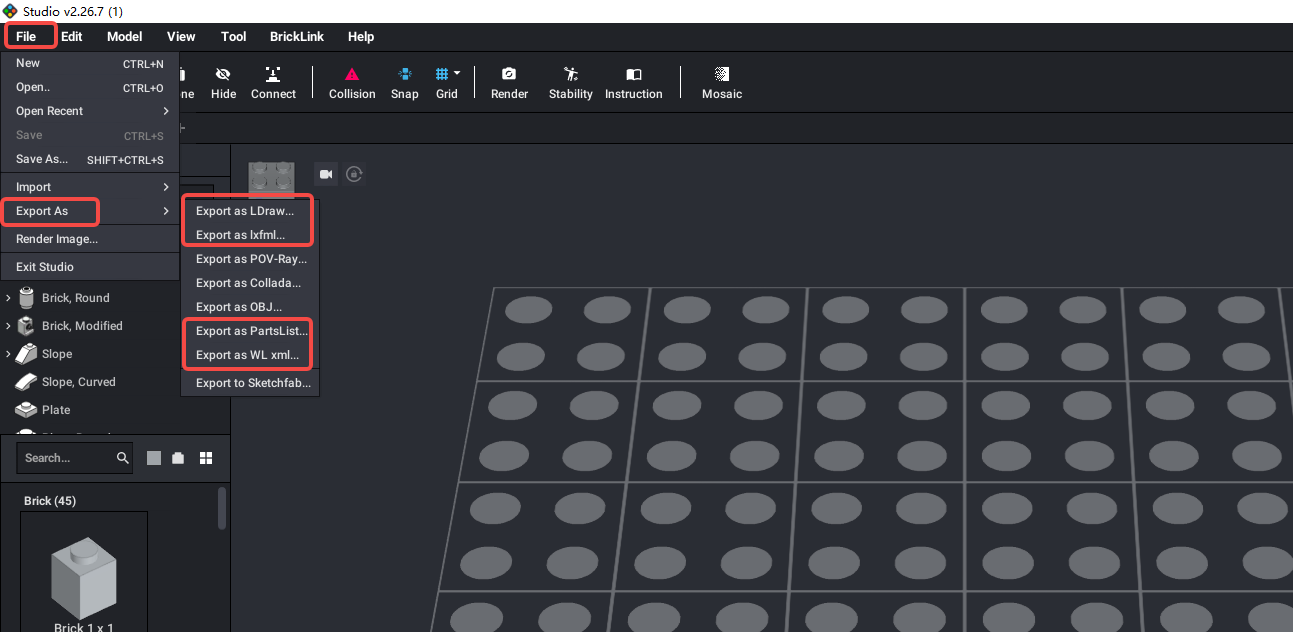
Gobricks(.xlsx)
XLSX-Dateikopf
| Field | Comment | Required |
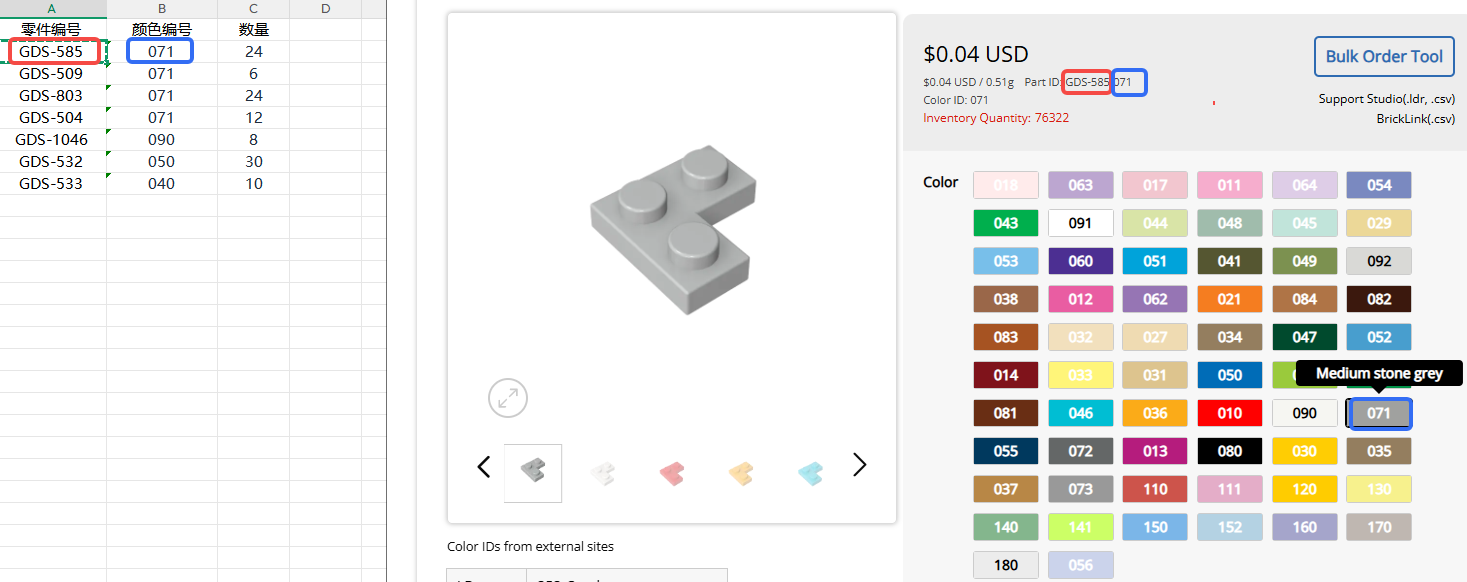
| 零件编号 | Gobricks Mold Number | YES |
| 颜色编号 | Gobricks Color ID | YES |
| 数量 | Quantity | YES |
Beispieldatei: gds-list.xlsx
So füllen Sie die GoBricks-Teileliste aus
Hilfe benötigt?
Sollten Sie während der Nutzung auf Probleme stoßen, kontaktieren Sie uns gerne - wir unterstützen Sie umgehend. Unsere E-Mail-Adresse: mygobricks@gmail.com.